Inventory Management
Software
For Schools · Ashrams · Charitable Trusts · Educational Institutions
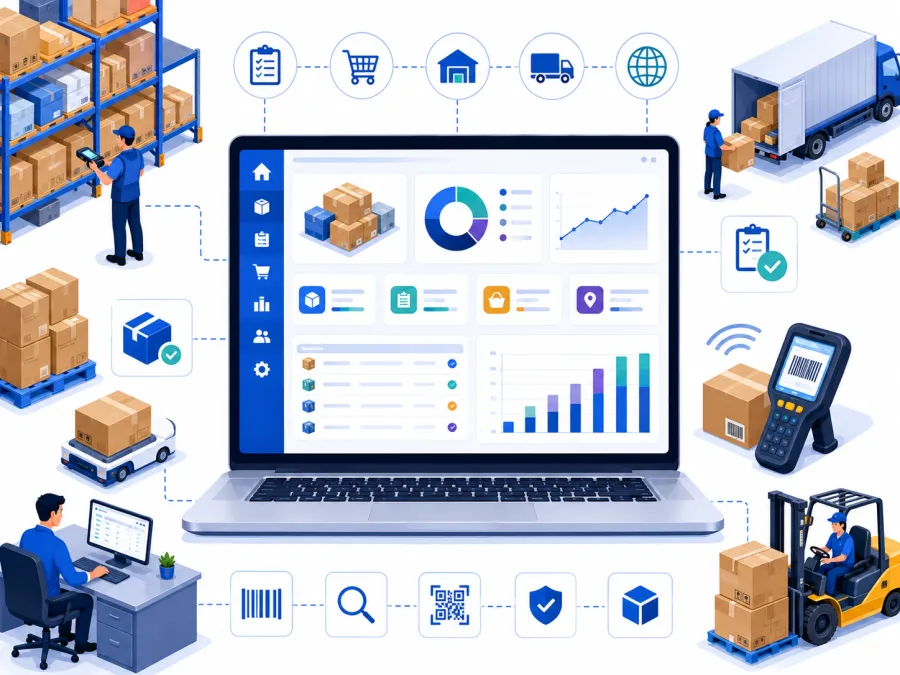
Track stock, manage purchases, monitor usage, and control inventory across your entire campus — from one centralized platform.
- Real-Time Stock Tracking
- Purchase Order Management
- Low Stock Alerts
- Item Issue & Usage Tracking
- Vendor & Supplier Records
- Inventory Reports & Analytics
Why Institutions Need Inventory Management Software
Managing stock manually leads to shortages, wastage, and uncontrolled spending every month.
No real-time stock visibility
Stock levels tracked in paper registers or spreadsheets. Managers don't know what is available, what is low, or what has expired until it is too late.
Stock shortages and overstocking
No reorder alerts means items run out unexpectedly — or are over-purchased and go to waste. Both problems happen simultaneously in different categories.
Uncontrolled purchases
Purchases made verbally or on WhatsApp with no purchase orders, no vendor comparison, and no way to track what was ordered versus what was received.
No usage or consumption tracking
Items issued to kitchen, hostel, or classrooms not recorded. Monthly stock reconciliation doesn't match purchases — and no one knows why.
Zero management visibility
Trustees and administrators have no view of stock value, monthly consumption, or vendor spend — only what the store manager tells them verbally.
No vendor or pricing records
Vendor contact details and item prices kept in personal notebooks. No comparison across vendors, no pricing history, no leverage for negotiation.
DigiCampus replaces all of it — one inventory system, real-time stock, complete purchase trail. Designed specifically for schools, ashrams, charitable trusts, and educational institutions.
Built for institutions like yours
If you lodge guests, serve meals, accept donations or manage a residential community — DigiCampus was built for you.
Ashrams & Spiritual Centres
Manage guest stays, prasad kitchen, donations & devotee records in one place.
Learn moreCharitable Trusts
80G receipts, donor management, HRMS and expense tracking — all compliant and connected.
Learn moreTemples & Mutts
Handle dharamshala bookings, event management, daily collections and seva records.
Learn moreResidential Schools
Academic, hostel, dining and fee management unified for boarding school operations.
Learn moreNGOs & Foundations
Donor CRM, project tracking, HRMS and 80G compliance for social impact organisations.
Learn moreGurukuls & Vedic Pathshalas
Student records, boarding, dining and daily routines managed together for traditional residential learning.
Learn moreColleges & Universities
Hostels, fees, staff payroll and campus operations unified across departments and buildings.
Learn moreYoga & Retreat Centres
Guest bookings, meal plans, programmes and payments handled from a single, simple dashboard.
Learn moreHostels & PG Accommodations
Room allotment, occupancy, fee collection and resident records — always up to date.
Learn moreSenior Care & Old-Age Homes
Resident profiles, staff rosters, dining and donations managed with care and compliance.
Learn moreKey Features of Inventory Management Software
Everything your institution needs to manage stock, purchases, and usage digitally.
Real-Time Stock Tracking
See live stock levels for every item across all stores. Know exactly what is available, what is low, and what has been consumed — at any time.
Low Stock Alerts
Set minimum stock thresholds for each item. Receive automatic alerts when stock falls below the reorder point — before you run out.
Purchase Order Management
Create and track purchase orders with vendor details, item quantities, and expected delivery dates. Full purchase trail from order to receipt.
Goods Receipt & GRN
Record goods received against purchase orders, verify quantities, update stock instantly, and flag discrepancies for follow-up.
Item Issue & Usage Tracking
Record every item issued to kitchen, hostel, classrooms, or any department. Track who took what, when, and for which purpose.
Vendor & Supplier Records
Maintain a complete vendor directory with contact details, pricing history, and past purchase records — all searchable and sortable.
Item Category Management
Organise inventory into categories — food items, stationery, equipment, cleaning supplies — for better tracking and reporting.
Inventory Reports & Analytics
Stock reports, consumption reports, purchase history, and valuation reports — ready on demand for management and auditors.
Multi-Store Management
Manage separate stores for kitchen, hostel, stationery, and equipment — each with its own stock levels and staff access.
Expiry & Batch Tracking
Track expiry dates for food items and medicines. Flag items nearing expiry before wastage occurs.
Integrated with Campus
Inventory connects with Dining, Expense, and HRMS — stock consumption flows into expense tracking without manual re-entry.
Mobile Friendly
Store managers record stock movements, issue items, and check stock levels from any smartphone — no desktop needed.
Live on your campus in about a week
No long IT projects, no expensive consultants. We handle the setup.
Message us on WhatsApp
A 20-minute screen-share on an inventory setup like yours — see stock tracking, purchase orders, GRN recording, and stock reports in action.
We configure your inventory system
Your item categories, store locations, vendor records, and user roles all configured. We handle the entire setup including opening stock entry.
Go live & train your store team
A hands-on training session for store managers and purchase staff — your inventory is running digitally from day one.
Benefits of Using Inventory Management Software
Eliminate Paper Stock Registers
Replace handwritten stock registers and spreadsheets with a digital system that updates in real time and is always accurate.
No More Stock Shortages
Automatic low-stock alerts mean you never run out of critical items — reorders happen before the shortage, not after.
Controlled Purchasing
Every purchase goes through a proper order process — no unauthorized buys, no verbal-only orders, no missing receipts.
Instant Stock Reports
Current stock value, consumption history, and purchase spend — available at one click for management and auditors.
Management Visibility
Trustees see live stock levels, monthly purchase cost, and consumption by department — not a weekly verbal update.
Reduced Wastage
Expiry tracking and consumption analytics help identify over-purchasing patterns before items expire and go to waste.
Centralized Vendor Records
All vendor contacts, pricing, and purchase history in one searchable place — no more calling around to find the right supplier.
Mobile Friendly
Store managers check stock and record movements from any smartphone — no desktop or printed forms needed.
Multi-Store Control
Manage kitchen store, hostel store, and stationery separately — each with its own records, tracked from one dashboard.
Audit-Ready Records
Full purchase trail, GRN records, and stock movement history — ready for trust audits and compliance reviews without manual preparation.
Integrated Platform
Inventory connects with Dining, Expense, and HRMS — stock consumption flows into financial tracking automatically.
Dedicated Support
Onboarding assistance and ongoing WhatsApp support — a real team, not a ticket queue.
Why Institutions Choose DigiCampus
Centralized Operations
Manage all campus departments from a single software platform.
Improved Transparency
Access real-time data and reports for better decision-making.
Reduced Manual Work
Automate repetitive administrative processes.
Secure Access Control
Role-based permissions ensure data security.
Multi-Campus Ready
Manage multiple campuses and departments efficiently.
Cloud-Based Accessibility
Access your data anytime, anywhere.
Scalable Platform
Suitable for small institutions as well as large multi-campus organizations.
Mobile Friendly
Staff and administrators can manage operations from any mobile device.
Dedicated Support
Onboarding assistance and ongoing support to keep your campus running smoothly.
Easy to Configure
Set up modules, campuses, and user roles without any technical expertise.
Automated Reports
Generate attendance, financial, and operational reports with a single click.
Data Privacy
Your institution's data is stored securely with strict access controls and encryption.
Less wastage. More control over your stock.
Not a feature list — the things that actually change about your inventory every day.
Always know what's in stock
Real-time stock levels for every item across every store. No more guessing, calling, or checking registers before a purchase.
Never run out again
Automatic alerts when any item hits the minimum threshold. Reorders happen before the shortage — not after the kitchen has already run out.
Every purchase on record
Purchase orders, GRNs, and vendor invoices tracked digitally. Full purchase trail from order to receipt — audit-ready at any time.
Usage tracked by department
Every item issued recorded with department and purpose. Consumption reports show exactly where stock is being used — and where waste is happening.
Expiry caught before waste
Expiry dates tracked for perishables and medicines. Items nearing expiry flagged in advance — so nothing goes to waste unnoticed.
Connected to dining & expense
Inventory consumption flows directly into Dining and Expense modules — no manual re-entry of purchase data across systems.
One login for all your stores
Whether you manage a single kitchen store or separate stores across multiple campuses, DigiCampus keeps every item, purchase, and movement record in one place — and gives each store manager access to only their store.
- Add and manage multiple stores from one account
- Each store manager sees only their assigned store
- One shared inventory system across campus departments
- Your data lives in its own private, separate space
Works with the tools you already use
 WhatsApp
 Telegram
 Razorpay
 Paytm
Paytm PhonePe
 Gmail
Gmail Google Sheets
 Google Calendar
 Google Drive
 Google Meet
 Zoom
Zoom Stripe
Affordable, module-based pricing
Pay only for the modules your campus actually needs. No bloated bundles, no hidden charges.
Common questions, straight answers
Everything you need to know before booking a demo.
See Inventory Management running on a campus like yours
A 20-minute walkthrough on a real inventory setup — stock tracking, purchase orders, low-stock alerts, and inventory reports. No slides, just the system.
Message us on WhatsApp and See How DigiCampus Simplifies Inventory Management.
Chat on WhatsAppPrefer email? Write to care.digicampus@gmail.com
Thank you!
We've received your request and will be in touch within a day.