 WhatsApp Now
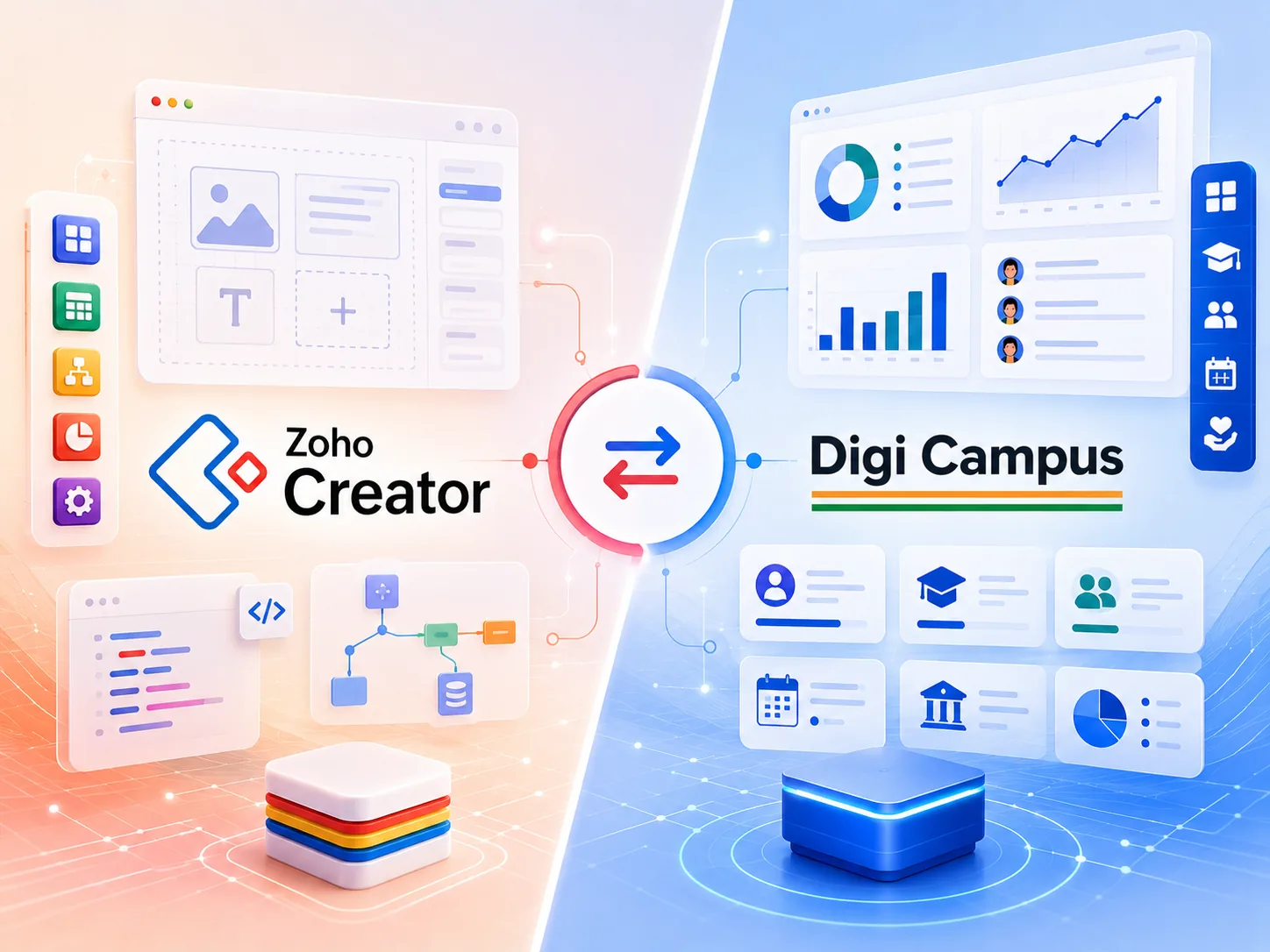
Key takeaways: Zoho Creator is a low-code platform for building your own apps — powerful, but it hands you a blank canvas. DigiCampus is the finished campus: hostel, dining, fees, donations, and HRMS already built, connected, and managed. You skip months of app-building and go live in days.
In this guide
- 01Why campuses compare Zoho Creator with DigiCampus
- 02What Zoho Creator is — and what it is not
- 03The campus gap in a build-it-yourself platform
- 04Zoho Creator vs DigiCampus, side by side
- 05The real cost of ownership
- 06When Zoho Creator is the right call
- 07Why DigiCampus wins for campuses
- 08Common questions
Why campuses compare Zoho Creator with DigiCampus
If you run a residential school, ashram, gurukul, or trust, someone in your network probably runs Zoho. Zoho Creator looks attractive because it is a low-code platform: in theory, you can build exactly the campus app you imagine, with forms, workflows, and reports tailored to you.
The catch is in the word “build.” Zoho Creator is a blank canvas. You — or a Zoho partner — must design every form, every workflow, every report, every link between hostel and fees. That flexibility is real, but for a trust office it becomes a software project with no finish line.
This guide compares the two honestly. We will tell you where Zoho Creator genuinely shines, where it falls short for institutions like yours, and why a purpose-built campus operating system ends up being the faster, calmer choice for most ashrams, trusts, gurukuls, and residential schools.
Two very different starting points
Zoho Creator hands you tools to build a campus app. DigiCampus hands you the campus, already built.
What Zoho Creator is — and what it is not
Credit where it is due: Zoho Creator is a genuinely capable low-code platform, and the wider Zoho suite is excellent value. For a company that needs a custom internal tool, Creator can produce it faster than traditional development.
But Zoho Creator is a platform, not a product. It gives you the ability to build a campus system; it does not give you one. Every screen your staff will use has to be designed, tested, and maintained — and campus logic like hostel allotment or fee concessions is yours to invent.
The honest framing: Zoho Creator does not come with a hostel module, a mess module, a fee-concession engine, or a donation-receipt workflow. It comes with the tools to build them. “Build them” is where the months and the partner fees go — and you own the result forever, bugs and all.
The campus gap in a build-it-yourself platform
Here is what you would have to build and maintain yourself to run a residential campus on Zoho Creator:
No native hostel logic
Room allotment, occupancy, vacancy, and student-to-bed mapping don’t exist as concepts. You’d model them with custom objects.
No mess or dining flow
Meal plans, daily mess attendance, and per-plate costing have no out-of-the-box home in a business platform.
Fees aren’t invoices
Term fees, concessions, scholarships, sibling discounts, and dues don’t map cleanly to B2B sales invoices.
Donations need receipts
Donation tracking, 80G-style receipts, and donor history are campaign workflows, not vendor bills.
Guardians, not customers
A student record links to guardians, hostel, dining, fees, and history — a relationship a CRM contact won’t capture.
Trustee reporting
Trustees want collections, occupancy, and donation reports — not P&L dashboards built for shareholders.
All of this is buildable on Zoho Creator — that is the point of the platform. But every screen is your project to design, test, and maintain. DigiCampus has already built, refined, and battle-tested these exact workflows across real campuses.
Already evaluating Zoho Creator for your campus?
Tell us what you're trying to run — hostel, fees, dining, donations — on WhatsApp. We'll show you the same workflows working out of the box in DigiCampus.
Zoho Creator vs DigiCampus, side by side
Here is the comparison that matters for an institution — not feature counts, but how each system handles the work a campus actually does every day.
| For a campus | Zoho Creator | DigiCampus |
|---|---|---|
| Built for institutions | ✕ Blank canvas you build on | ✓ Purpose-built for ashrams, trusts & campuses |
| Hostel & room allotment | ✕ Build it yourself | ✓ Native hostel module out of the box |
| Dining / mess management | ✕ Build it yourself | ✓ Native dining & mess attendance |
| Fees, concessions & dues | ✕ Build it yourself | ✓ Purpose-built fee engine with concessions |
| Donations & receipts | ✕ Build it yourself | ✓ Donation module with donor receipts |
| Time to go live | ✕ Months of app-building | ✓ Typically 7–10 working days |
| Who designs the screens | ✕ You or a Zoho partner | ✓ Already designed and refined |
| Ongoing maintenance | ✕ You own every bug and change | ✓ Fully managed and improved for you |
| Support that knows campuses | ✕ Generic low-code support | ✓ Team fluent in ashram & school operations |
This is not a knock on Zoho Creator — it is a strong low-code platform. It’s a statement about finished vs unfinished. Creator gives you the kit; DigiCampus gives you the campus already running.
The real cost of ownership
Zoho Creator’s per-user pricing can look modest. But for a campus, the subscription is the smallest line item. The real cost is building and forever maintaining the apps that would make it usable:
Where the money actually goes
For most institutions, the gap between Creator’s subscription and its real cost is the build — and the maintenance that never ends.
When institutions add up build hours (or partner fees), ongoing maintenance, and the risk of the one person who built it leaving, “low-cost” Creator often becomes the most expensive option — because the software is never actually finished.
Rule of thumb: If a platform asks you to build and forever maintain your own hostel, fees, and donation apps, a ready-made campus OS that’s live in a fortnight is almost always cheaper and safer.
When Zoho Creator is genuinely the right call
We will be straight with you: Zoho Creator is the better choice in some situations. Pick Zoho Creator if:
- You have a clear in-house builder or Zoho partner and genuinely want a bespoke system you control.
- Your requirements are so unusual that no off-the-shelf product fits, and you accept the maintenance burden.
- You are already deep in the Zoho ecosystem and want everything under one vendor, build effort included.
- Campus operations are a small custom tool, not your core daily work.
If that's you, Zoho Creator is a capable option. But if your day revolves around students, hostels, fees, dining, donations, and keeping trustees informed — read on.
Why DigiCampus wins for campuses
For an ashram, a trust, a gurukul, or a residential school, the winning system is the one that already understands your world the moment you log in. That is what DigiCampus is built to be — not a blank low-code canvas you have to build on, but a campus operating system from the ground up.
What you get on day one with DigiCampus
The campus apps you would spend months building on Zoho Creator are simply switched on.
The deeper advantage is that the modules are connected by design. A boarding student's record links to their hostel room, their mess attendance, their fee dues, and their guardian's WhatsApp — automatically, because the system was modelled as a campus. On a build-it-yourself platform, every one of those links is a workflow you have to design, test, and maintain.
The bottom line: Zoho Creator asks “what will you build?” DigiCampus answers “here’s your campus, already built.” For institutions that want to run, not develop, software, that difference decides it.
See DigiCampus run your campus
Share your student count, hostel setup, and fee structure on WhatsApp. We'll show you the exact workflows live in 20 minutes.
Common questions
Is DigiCampus a good Zoho Creator alternative for campuses?
Yes. Zoho Creator is a low-code platform you build apps on; DigiCampus is the finished campus product. Instead of designing and maintaining your own hostel, fees, dining, and donation apps, you get them ready-made, connected, and managed — live in days.
Can’t I just build a campus system on Zoho Creator?
You can, but it is a software project: every form, workflow, report, and integration is yours to design, test, and maintain. DigiCampus has already built and refined these exact campus workflows, so you avoid the build and the ongoing maintenance.
Which costs less for a campus, Zoho Creator or DigiCampus?
Creator’s subscription can look cheaper, but the real cost is building and forever maintaining the apps. For most campuses, DigiCampus’s ready-made, managed, module-based pricing has a lower total cost of ownership.
The right tool for the job wins
Zoho Creator is excellent at letting you build apps. DigiCampus is the campus already built — hostel, dining, fees, and donations, connected and managed, live in days. If your institution is a school, ashram, gurukul, or trust, skip the build and start running.