 WhatsApp Now

Key takeaways: School management software brings admissions, student records, attendance, fee collection, exams, and parent communication into one system. Most institutions go live in 7–10 days. It works best connected with hostel, dining, HRMS, and fees.
In this guide
What is school management software?
School management software is a digital platform that handles the core operations of a school — admissions, student records, attendance, fee collection, exams and results, timetables, and parent communication — from one interface used by administrators, teachers, accounts staff, and management.
The idea is simple: everything that currently lives in admission registers, attendance sheets, fee ledgers, and WhatsApp groups gets consolidated into a single source of truth that everyone can access in real time. When the office looks up a student's fee dues, or a teacher marks attendance, they all see the same accurate data instantly.
For residential schools, gurukuls, ashram-run schools, and educational trusts, this is not a luxury. Once you cross a few hundred students, paper simply cannot keep pace with admissions season, fee reconciliation, and parent queries.
What changes when school operations become digital
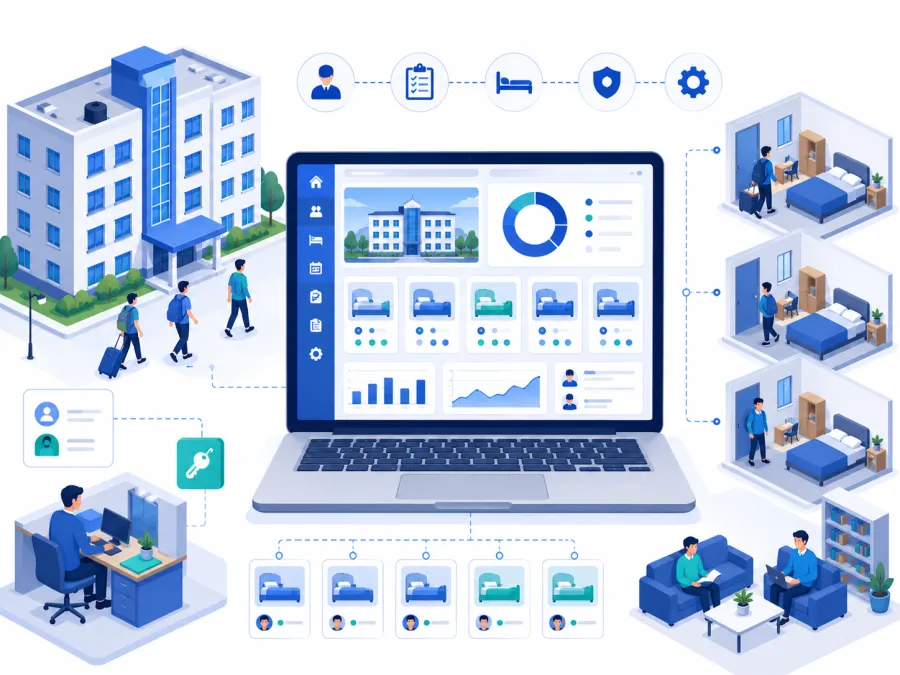
A good school system turns daily office and classroom work into a visible operating flow for staff, accounts, and management.
The real problems it solves
Before choosing software, it helps to be precise about what breaks down in a register-based school — because the software is only worth adopting if it fixes these specific failures.
Scattered student records
Admission details, contact numbers, and history live in different files. Software keeps one complete record per student.
Fee reconciliation chaos
Dues, part payments, and concessions are hard to track on paper. Software auto-calculates balances and flags overdue fees.
Attendance on loose sheets
Daily registers are slow to compile. Digital attendance rolls up class-wise and student-wise instantly.
Exam and result effort
Mark entry, grading, and report cards consume staff weeks. Software generates results and report cards in clicks.
Parent communication gaps
Fee reminders, notices, and updates depend on calls. Software sends them via WhatsApp, SMS, or app.
No data for decisions
Admissions trends, collection rates, and attendance become reports management can review without manual counting.
The pattern: Most schools run on a mix of admission registers, fee ledgers, attendance sheets, and WhatsApp. It works until enrolment grows or a key staff member leaves — at which point the institutional memory walks out the door with them.
Running your school on registers and spreadsheets?
Share your student count, class structure, and fee setup on WhatsApp. We will map the right DigiCampus school workflow for you.
Key features to look for
Not every school management product fits residential schools, gurukuls, or trusts. Evaluate against your actual operating pattern — boarding, dining, multi-role staff, and trustee reporting. Here is what matters:
School workflow from admission to reporting
This is the operating journey most schools need from management software.
- Admissions and enquiry tracking from enquiry to application to confirmed admission, with document capture.
- Student records and profiles one record per student covering class, guardians, attendance, fees, and history.
- Attendance management class-wise, section-wise, and student-wise, with absentee alerts to parents.
- Fee management term, monthly, or class-based fee structures with concessions, dues, and receipts.
- Exams, grading, and report cards mark entry, automatic grading, and printable report cards.
- Parent communication fee reminders, notices, and updates via WhatsApp, SMS, or app.
- Hostel and dining links connect boarding students to hostel allotment and mess attendance.
- Reports and exports admissions, collections, attendance, and results for management and trustees.
Want to see these features on your campus?
We'll show admissions, attendance, fees, and results on a setup that matches your school — in 20 minutes on WhatsApp.
Who needs school management software
If you manage more than a few hundred students with fees, attendance, and parent communication, the answer is almost certainly yes. The institution types that benefit most:
Residential schools
Boarding students with hostel, dining, fees, attendance, and guardian communication needs.
Gurukuls and pathshalas
Traditional learning institutions that still need modern records, attendance, and fee tracking.
Ashram-run schools
Schools operated by ashrams or trusts where students live, study, and dine on campus.
Educational trusts
Multiple schools or branches needing consolidated records and trustee reporting.
Day schools
Schools wanting to digitise admissions, fees, attendance, and parent communication.
NGO schools
Free or subsidised schools needing accountability, attendance, and donor reporting.
Rule of thumb: If your office cannot tell a parent their child's fee balance without opening three files, you need school management software.
Registers vs. software: a direct comparison
| Task | Manual / Paper | DigiCampus |
|---|---|---|
| Look up a student record | Search through admission files | ✓ Search loads the full profile in 1 second |
| Track fee dues | Separate ledger, manually updated | ✓ Auto-calculated balances with overdue alerts |
| Mark and compile attendance | Paper sheets, manual totals | ✓ Class-wise digital attendance, instant rollups |
| Generate report cards | Manual mark entry and writing | ✓ Auto-graded report cards in clicks |
| Send a fee reminder | Phone calls one by one | ✓ Bulk WhatsApp/SMS reminders in one action |
| Produce a collection report | Count and tally ledgers | ✓ One click, export as PDF or Excel |
How to choose the right school management software
For residential schools and trusts, the evaluation criteria differ from generic corporate school ERPs. Prioritise:
What implementation actually looks like
Getting started is simpler than most institutions expect.
- Set up your structure — classes, sections, fee heads, and academic year. A one-time exercise of a few hours.
- Import student data — current students, guardians, and balances from your spreadsheets. Most providers handle migration for you.
- Configure fees — fee amounts, due dates, and concession categories, set up with provider support.
- Train office and teaching staff — a short walkthrough covering admissions, attendance, fee collection, and reports.
- Go live — from the next term or admission cycle. Many schools run parallel for a couple of weeks, then drop the paper.
At DigiCampus, most schools are fully live within 7–10 working days of signing up. We handle structure setup, data import from your spreadsheets, and a training session for your office and teaching staff before you go live.
Ready to go live this term?
Tell us your student count, class structure, and current setup on WhatsApp. We'll confirm exactly what setup looks like for you — no commitment needed.
Common questions
What is school management software used for?
It is used to manage admissions, student records, attendance, fee collection, exams and results, timetables, and parent communication from one digital system.
Is school management software suitable for gurukuls and ashrams?
Yes. DigiCampus supports residential and traditional learning institutions where students live, study, and dine on campus — with student records, attendance, fees, and hostel links.
Can it handle fees, hostel, and dining together?
Yes. DigiCampus is a campus operating system, so school records connect with hostel allotment, dining attendance, fees, HRMS, and reports.
See it on your campus
The best way to evaluate school management software is to see it running on your own classes, student data, and fee structure. A 20-minute walkthrough is enough to know whether the shift makes sense.